As your small business grows, so does the complexity of your network and the need for a dedicated, secure, and well-organized space for equipment. A properly planned network closet or server room protects your devices, reduces downtime, simplifies maintenance, and supports future expansion. This guide offers practical, actionable tips to help you design and manage a small but efficient network area without overengineering or overspending.
Understand your current and near-term needs
Begin by auditing what equipment you currently have and what you anticipate within the next 12–36 months. List switches, routers, firewalls, patch panels, rack-mounted servers, NAS devices, UPS units, and other peripherals. Pay attention to power consumption (amps and watts), heat output, and physical dimensions. A modest growth projection helps you choose rack sizes, circuit capacity, and cooling solutions that won’t force an early and costly upgrade.
Location, location, location
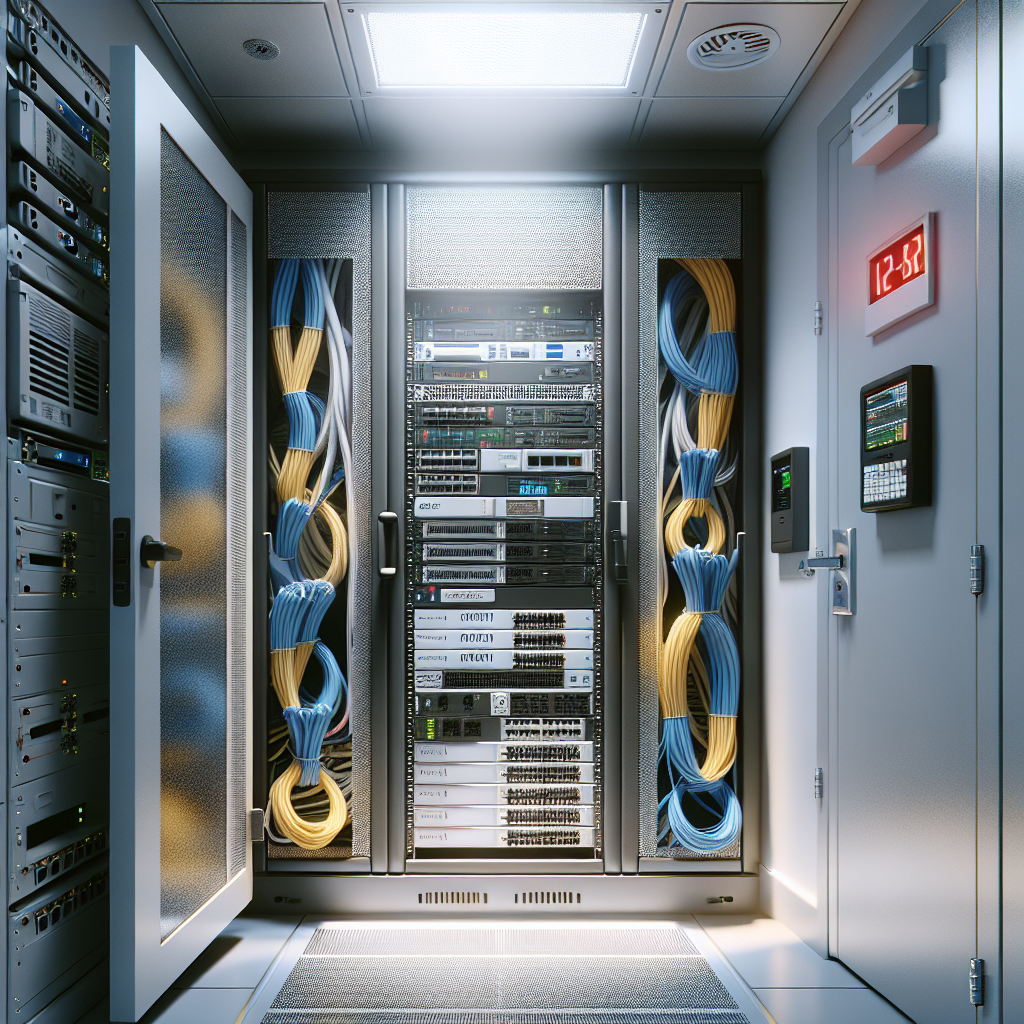
Choose a location that minimizes risk: avoid exterior walls prone to moisture, spaces above false ceilings where dust and leaks can occur, and high-traffic areas. Ideally the closet or room should be centrally located to reduce cable lengths and latency. Accessibility for authorized staff is important, but so is physical security. A lockable door, controlled access, and a clean perimeter reduce accidental tampering and environmental hazards.
Power and redundancy
Reliable power is foundational. Install dedicated circuits for your rack equipment and ensure the electrical panel can handle the additional load. A quality uninterruptible power supply (UPS) sized for both current draw and desired runtime will protect against brief outages and allow graceful shutdowns. For higher availability, consider dual power feeds, generator backup if critical, and power distribution units (PDUs) with remote monitoring to track consumption and control receptacles.
Cooling and airflow management
Heat is the enemy of electronics. Even a small array of devices can generate substantial heat that degrades performance and lifespan. Passive airflow may suffice for a shallow closet, but often you’ll need active cooling—dedicated mini-split AC, an in-row cooling unit, or at minimum well-placed venting and fans. Implement front-to-back airflow in racks, use blanking panels to prevent recirculation, and keep intake and exhaust paths unobstructed. Monitor temperature remotely when possible to catch issues early.
Cable management and labeling
Good cable management saves countless hours. Use racks with horizontal and vertical cable organizers, Velcro straps instead of zip ties to avoid damaging cables, and maintain separation between power and data runs to reduce interference. Label both ends of every cable with consistent identifiers tied to a documented network floorplan. Color-coding for different functions (voice, data, uplink, power) speeds troubleshooting and reduces human error.
Racks, shelving, and mounting
Choose racks or wall-mounted cabinets that fit the equipment footprint and allow future expansion. Open racks offer better airflow but less security and containment; enclosed cabinets give physical protection and sound reduction but require attention to cooling. Secure heavy equipment low in the rack, and avoid stacked equipment on top of cabinets. Use shelves for non-rackable devices and ensure proper grounding for safety and noise reduction.
Security and monitoring
Physical security complements network security. Implement access control like keycards, coded locks, or monitored door sensors. Install simple environmental sensors—temperature, humidity, smoke, and water/leak detectors—connected to alerts via email or SMS. Camera coverage can be useful but balance privacy concerns and cost. Finally, employ monitoring tools for both network performance and device health so you can respond to warnings before they become outages.
Documentation and maintenance routines
Document every decision: cable maps, IP allocations, device credentials (stored securely), rack elevations, and power diagrams. Establish regular maintenance routines—dust checks, firmware updates, cable audits, and battery tests for UPS units. Train at least two staff members on safe handling and shutdown procedures so knowledge isn’t siloed. A small investment in documentation dramatically reduces time-to-repair during incidents.
Scalability and cost control go hand in hand. Start with flexible choices: modular UPS units, extra rack space, and conduit or raceways for new cable runs. Prioritize items that reduce downtime and operational risk first—power protection, monitoring, and basic cooling—then layer in redundancy as budget allows. With a clear plan, sensible standards, and disciplined labeling and monitoring, your network closet can serve as a reliable backbone for growth, keeping systems available, maintainable, and ready for the next phase of your business expansion.